Volvo XC90: Maintenance and service / Opening and closing the hood
To open the hood, pull the lever in the passenger compartment and then turn the handle under the hood.
Opening the hood
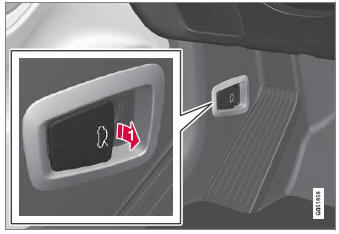
 Pull the handle to the left of
the brake pedal to release the hood from its fully closed position.
Pull the handle to the left of
the brake pedal to release the hood from its fully closed position.
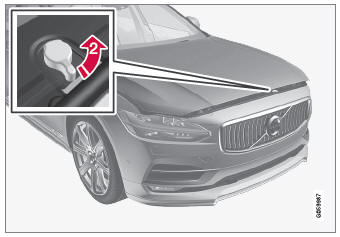
 Turn the handle under the front
edge of the hood counterclockwise to release the catch and lift the hood.
Turn the handle under the front
edge of the hood counterclockwise to release the catch and lift the hood.
Warning - hood not closed
 When the hood is released, a warning
symbol and graphic will be displayed in the instrument panel and an audible signal
will sound. If the vehicle begins to roll, the audible signal will be repeated several
times.
When the hood is released, a warning
symbol and graphic will be displayed in the instrument panel and an audible signal
will sound. If the vehicle begins to roll, the audible signal will be repeated several
times.
NOTE
If the warning symbol is illuminated or an audible warning signal sounds even though the hood is securely closed, consult a workshop - an authorized Volvo workshop is recommended.
Closing the hood
- Press down the hood until it begins to close under its own weight.
- When the hood reaches the catch at the handle in the front edge of the vehicle, press down on the hood to close it completely.
WARNING
Risk of injury! When closing, make sure that the hood is completely unobstructed and that no one can be injured.
WARNING
Make sure the hood locks securely after closing. It must audibly lock on both sides.
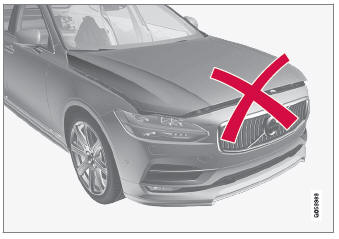
Hood not completely closed.
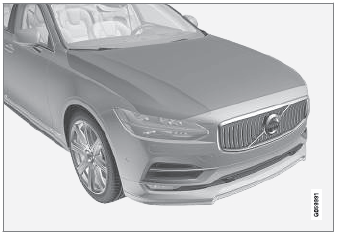
Hood completely closed.
WARNING
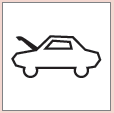 Never drive with the hood
open!
Never drive with the hood
open!
If this symbol appears, or anything else indicates that the hood is not completely closed while driving, stop immediately and close it properly.
 Replacing a windshield with headup display
Vehicles with a head-up display have a special type of windshield that meets
the requirements for displaying projected information.
Volvo recommends contacting an authorized Volvo workshop for assistance replacing
the windshield...
 Engine compartment overview
This overview shows some service-related components.
The layout of the engine compartment may vary depending
on model and engine variant.
Coolant expansion tank
Brake fluid reservoir (located
on the driver's side)
Washer fluid filler pipe
Fusebox
Air filter
Engine oil filler pipe
Location of warning decal for the engine compartment...
Other information:
Volvo XC90 2015-2026 Owners Manual: Driving with the Start/Stop function
Start/stop is a function that temporarily turns off the engine when the vehicle is stationary and then automatically starts it when needed. The Start/Stop function is available when the ignition is started and can be activated if certain conditions are met...
Volvo XC90 2015-2026 Owners Manual: Activating and deactivating private locking
Private locking is activated using the function button in the center display and a PIN code. NOTE For the valet lock function to be activated the car must be in at least ignition mode I. Two codes are used for private locking: A security code, which is created the first time the function is used...
- Manuals Home
- 2nd Generation XC90 Owners Manual
- 2nd Generation XC90 Service Manual
- Moving the second row seats forward/rearward
- Checking and filling engine oil
- Adjusting front seat massage settings
- New on site
- Most important about car
Categories
Detachable towbar
(Option/accessory.)
Volvo recommends the use of Volvo towbars that are specially designed for the vehicle.
NOTE
The optional detachable trailer hitch may not be available in all markets or on all models. Consult your Volvo retailer.