
Volvo XC90 2015-2026 Owners Manual / Maintenance and service / Fuses under the glove compartment
Volvo XC90: Maintenance and service / Fuses under the glove compartment
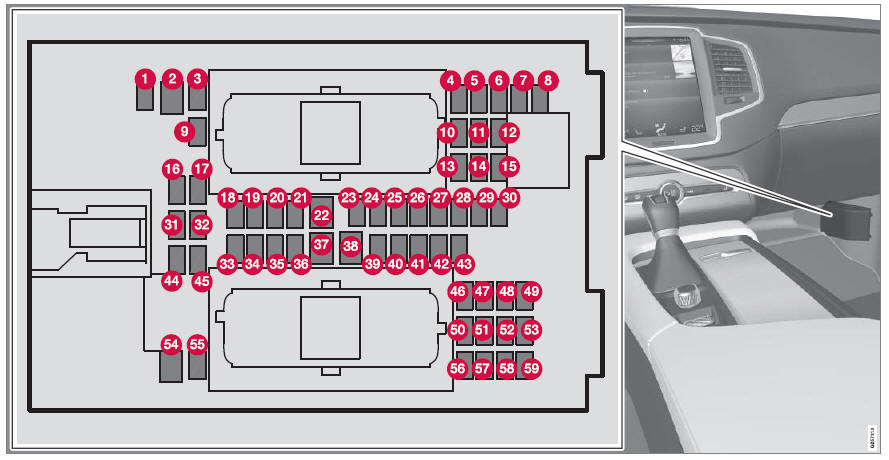
Fuses under the glove compartment provide protection for e.g. electrical outlets, displays and door modules.
Fuse pliers are provided on the inside of the fuse box cover to assist in removing and inserting fuses.
There are also spaces for several extra fuses in the distribution box in the engine compartment.
Positions
There is a decal with a diagram of the locations of the fuses on the inside of the cover.
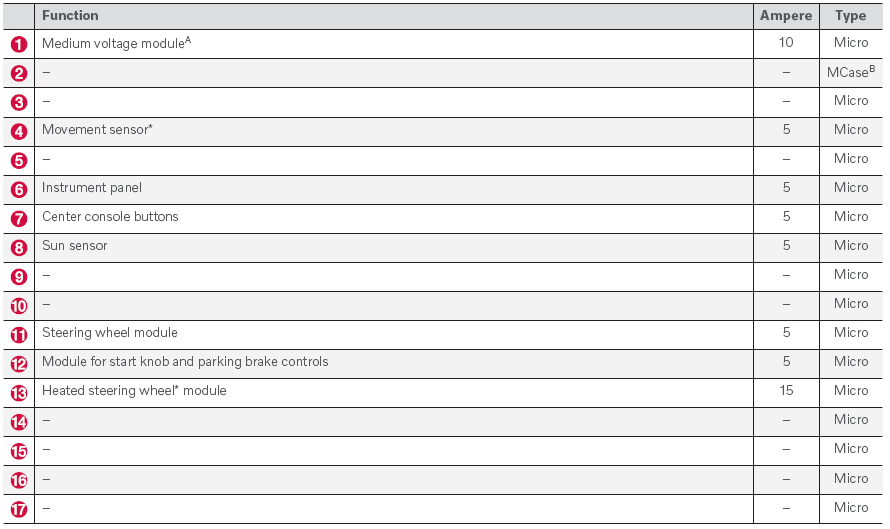
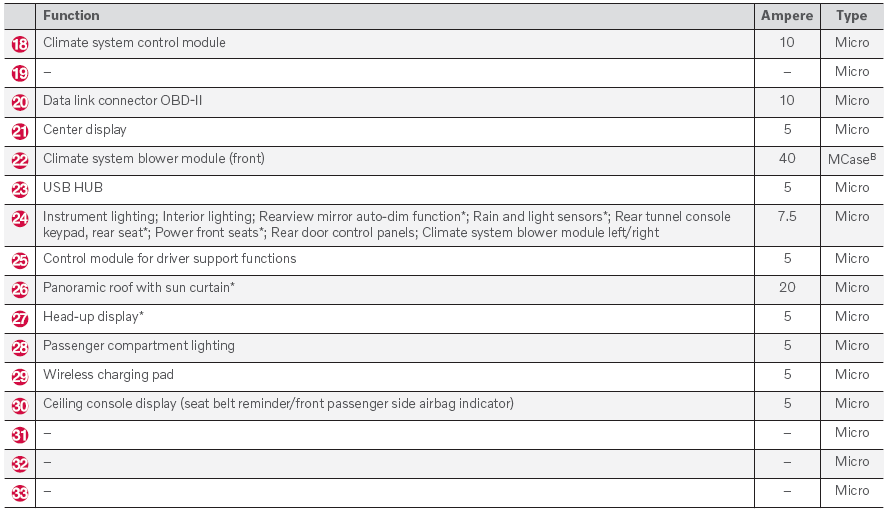
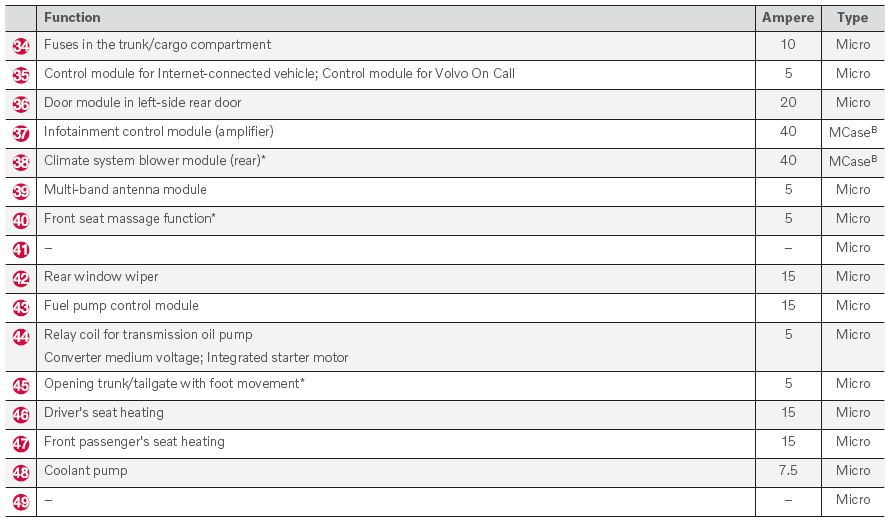
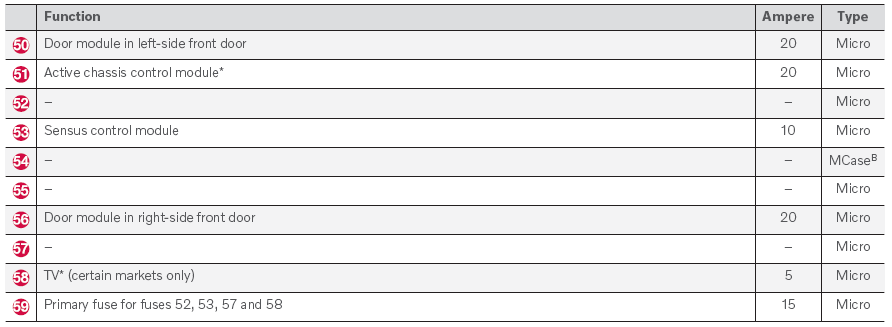
A Vehicles with 48 V support battery only.
B This type of fuse should be replaced by a workshop. An authorized Volvo workshop is recommended.
* Option/accessory.
 Fuses in the engine compartment
The fuses in the engine compartment help protect electrical components such
as engine and brake functions.
Fuse pliers are provided on the inside of the fuse box cover to assist in removing
and inserting fuses...
 Fuses in the cargo compartment
The fuses in the cargo compartment help protect electrical components such
as the power seats*, airbags and seat belt tensioners.
The fuse box is located under the storage compartment on the
right-hand side...
Other information:
Volvo XC90 2015-2026 Owners Manual: Driver Alert Control
The Driver Alert Control (DAC) function is designed to help alert the driver to erratic behavior, e.g. if the driver is distracted or showing signs of fatigue. The objective of the function is to detect slowly deteriorating driving behavior and is primarily intended to be used on major roads...
Volvo XC90 2015-2026 Owners Manual: Navigating in the center display's views
There are five different basic views in the center display: Home view, Top view, Climate view, App view and Function view. The screen is automatically activated when the driver's door is opened. Home view Home view is the view displayed when the screen is activated...
- Manuals Home
- 2nd Generation XC90 Owners Manual
- 2nd Generation XC90 Service Manual
- Activating and deactivating child locks
- Arming and disarming the alarm
- Connecting the vehicle to the Internet via vehicle modem (SIM card)
- New on site
- Most important about car
Categories
Safety during pregnancy
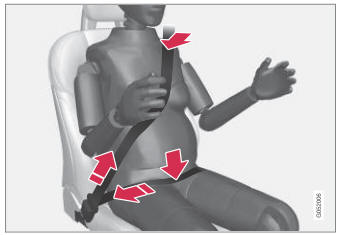
It is important that seat belts are worn correctly during pregnancy and that pregnant drivers adjust their seating position accordingly.
Seat belt

Copyright © 2026 www.voxc90.com