Volvo XC90: Seats and steering wheel / Power front seats
(Option/accessory)
The front seats can be adjusted in a number of different ways to help enhance your seating comfort. The power seat can be moved forward/backward and up/down. The height and length* of the seat cushion and the tilt of the backrest can be adjusted. Lumbar support * can be adjusted up, down, forward and backward.1
The seats can be adjusted when the engine is running and for a certain period of time after the door has been unlocked without the engine running. They can also be adjusted for a short period after the engine is turned off.
CAUTION
The power seats have an overload protector that is triggered if a seat is blocked by any object. If this occurs, remove the object and attempt to adjust the seat again.
1 Applies for four-way lumbar support*. Two-way lumbar support* is adjusted forward/rearward.
* Option/accessory.
 Manual front seats
The front seats can be adjusted in a number of different ways to help enhance
your seating comfort.
Raise/lower the front edge of the
seat cushion* by moving the control up/down...
 Adjusting the power * front seats
(Option/accessory)
Set the desired seating position using the controls on the front seat cushion.
To set the convenience functions, turn the multifunction control1
upward/downward...
Other information:
Volvo XC90 2015-2026 Owners Manual: Trip statistics settings
Trip statistics settings can be reset or adjusted. Open the Driver performance app in the App view to display trip statistics. Tap Preferences to change the graph scale. Select 1, 10 or 100 km/miles for the bar. reset data after each trip. Performed when the vehicle remains stationary for more than 4 hours...
Volvo XC90 2015-2026 Owners Manual: Function view in the center display
Function view, which is one of the center display's basic views, contains all of the vehicle's function buttons. From the Home view, navigate to Function view by swiping from left to right over the screen1. Different types of buttons There are three different types of buttons for vehicle functions; see below: Button modes When a function or parking button's LED indicator is green, the function..
- Manuals Home
- 2nd Generation XC90 Owners Manual
- 2nd Generation XC90 Service Manual
- Filling washer fluid
- Front fog lights/corner illumination
- Arming and disarming the alarm
- New on site
- Most important about car
Categories
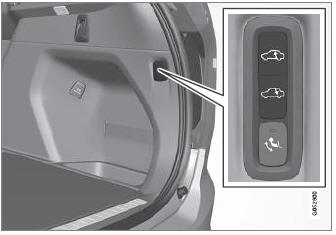
Leveling control settings
(Option/accessory.)
Turn off leveling control before lifting the vehicle with a jack to help avoid problems with the pneumatic suspension.
The vehicle can be lowered or raised to make it easier to load or for passengers to get in and out.
Adjusting loading mode