
Volvo XC90: Starting and driving / Type approval for HomeLink®
(Option/accessory.) (Certain markets only.)
FCC (USA) and IC (Canada)
This device complies with FCC rules part 15 and Industry Canada RSS-210. Operation is subject to the following two conditions: (1) This device may not cause harmful interference, and (2) This device must accept any interference that may be received including interference that may cause undesired operation.
WARNING
The transmitter has been tested and complies with FCC and IC rules. Changes or modifications not expressly approved by the party responsible for compliance could void the user's authority to operate the device.1
Type approval for EU
Gentex Corporation hereby declares that HomeLink® Model UAHL5 complies with the Radio equipment directive 2014/53/EU.
Wavelengths within which the radio equipment operates:
- 433.05MHz-434.79MHz <10mW E.R.P.
- 868.00MHz-868.60MHz <25mW E.R.P.
- 868.70MHz-868.20MHz <25mW E.R.P.
- 869.40MHz-869.65MHz <25mW E.R.P.
- 869.70MHz-870.00MHz <25mW E.R.P.
Certificate holder address: Gentex Corporation, 600 North Centennial Street, Zeeland MI 49464, USA
For further details, search for support information on type approval at volvocars.com
1 The term "IC:" before the certification/registration number only signifies that Industry Canada technical specifications were met.
 Using HomeLink®
(Option/accessory.) (Certain markets only.)
Once HomeLink® is programmed, it can be used instead of the separate remote
controls. Press and hold the programming button...
 Compass
(Option/accessory.)
An integrated compass1 in the upper right corner of the rearview
mirror shows the direction the vehicle is traveling.
Rearview mirror with compass...
Other information:
Volvo XC90 2015-2026 Owners Manual: Switching off the vehicle
The vehicle can be switched off using the start knob in the tunnel console. Start knob in the tunnel console. To switch off the vehicle: Turn the start knob clockwise and release to switch off the vehicle. The control will automatically return to the original position...
Volvo XC90 2015-2026 Owners Manual: Shifting gears with automatic transmission
For the small gear selector, change gear position by pushing the spring-loaded gear selector forward or rearward, or to the side for manual shifting. For the large gear selector, you instead move the gear selector to the left for manual shifting. Selecting gears Large gear selector and gear selector positions overview...
- Manuals Home
- 2nd Generation XC90 Owners Manual
- 2nd Generation XC90 Service Manual
- Filling washer fluid
- Checking and filling engine oil
- Adjusting front seat massage settings
- New on site
- Most important about car
Categories
Remote key
The remote key is used to lock and unlock doors, the tailgate and the fuel filler door. The remote key must be in the vehicle in order to start the engine.
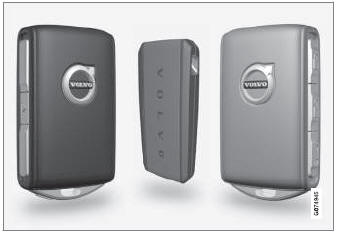
Remote key1, Care Key and button-less key (Key Tag)*.
