
Volvo XC90: Key, locks and alarm / Care Key – restricted remote key
A Care Key enables the vehicle owner to set a maximum speed limit for the vehicle. This limit is intended to promote safe use of the vehicle, e.g. when it is loaned out.
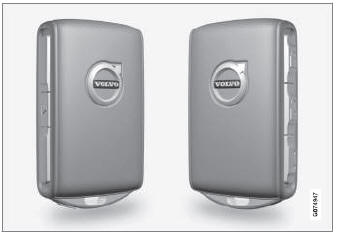
A maximum vehicle speed can be defined for a Care Key. Otherwise, the Red Key functions in the same way as a standard remote key.
This restriction is intended to help reduce the risk of accidents and help the driver feel more secure when handing over the vehicle to e.g. a young driver, parking attendant or workshop.
Ordering a Care Key
One or more Care Key can be ordered from a Volvo retailer. A total of twelve keys can be programmed and used for the same vehicle. Up to ten may be restricted keys, but at least two must be standard remote keys.
Care Key limitations
The key is linked to a specific Care Key driver profile, and when it is active the key's settings cannot be changed. It is also not possible to switch to another driver profile, as this requires a regular remote key.
The driver profile is activated when the vehicle is unlocked using a Care Key without a regular remote key nearby.
NOTE
If the vehicle changes owners, the vehicle must be locked and then unlocked for a new driver profile to be activated.
Setting options
The following limitations are available:
- speed range: 50-180 km/h (30-112 mph)
- Increments: 1 km/h (1 mph)
Care Key settings
Change maximum speed for a Care Key via the center display.
- Unlock the vehicle using a regular remote key.
- Tap Settings in the center display's Top view.
- Tap System
 Driver Profiles
 Care Key.
 - Adjust desired settings.
 Ordering additional remote keys
Two remote keys are provided with the vehicle. One Key Tag is also included
if the vehicle is equipped with keyless locking/unlocking *. Additional keys can
be ordered...
 Detachable key blade
The remote key contains a detachable metal key blade that can be used to activate
a number of functions and preform certain actions.
A Volvo workshop can provide you with the key blade's unique code, which is recommended
in case you need to order a new key blade...
Other information:
Volvo XC90 2015-2026 Owners Manual: Gracenote®
Gracenote identifies artists, albums, tracks and any associated images that can be displayed during playback. Gracenote MusicID® is a standard for music recognition. It can identify and analyze the metadata of music files and present information about the music...
Volvo XC90 2015-2026 Owners Manual: Brake lights. Emergency brake lights
The brake lights are automatically illuminated when braking. The brake lights are illuminated when the brake pedal is depressed and when the brakes are automatically applied by a driver support system. Emergency brake lights The emergency brake lights are activated to warn following vehicles of hard braking...
- Manuals Home
- 2nd Generation XC90 Owners Manual
- 2nd Generation XC90 Service Manual
- Drive modes
- Using the windshield and head-light washers
- Video
- New on site
- Most important about car
Categories
Remote key
The remote key is used to lock and unlock doors, the tailgate and the fuel filler door. The remote key must be in the vehicle in order to start the engine.
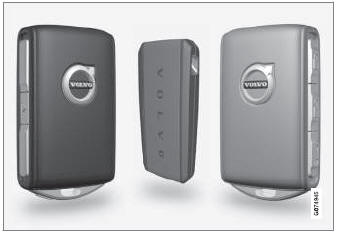
Remote key1, Care Key and button-less key (Key Tag)*.
